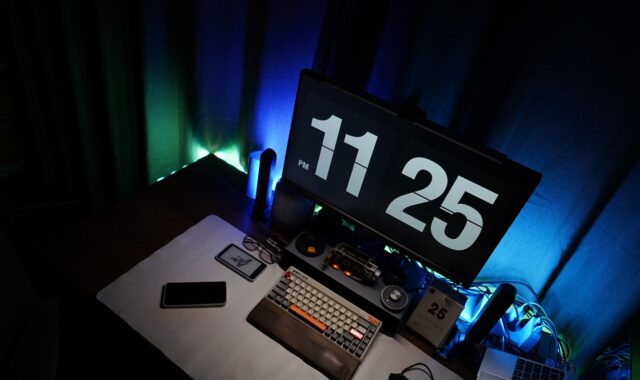
How to install LED strip lights on a wall

Quick answer for wall installation
To install LED strip lights on wall surfaces cleanly, plan the route before removing the backing, confirm that the strip voltage matches the controller and power supply, test the full strip first, prepare the wall, cut only at marked cut points, and mount the strip in short, controlled sections. Keep the controller, receiver, connectors, and driver accessible for testing and future service.
Most plug-in low-voltage kits are manageable for a careful homeowner. If the project involves hardwiring, in-wall cable runs, outdoor exposure, bathrooms, or any connection to household wiring, use a qualified electrician and follow local code. In practice, the most common failures are not bad LEDs. They are dusty paint, textured walls, undersized drivers, sharp bends, unsupported connectors, and runs that exceed the product limit. You can also explore more in INSTALLATION GUIDES.
Choose the right wall location and lighting effect
Before you peel any adhesive backing, decide what the strip is meant to do. Wall-mounted LED strips can provide indirect ambient light, highlight shelving, frame a headboard, outline a media wall, or create a soft ceiling-line glow. The installation method depends on whether the strip will be visible or concealed.
If the strip is in direct view, individual LED dots may be distracting. An aluminum channel with a diffuser usually gives a cleaner line and also helps protect the strip from dust, touch, and peeling. If the strip is hidden behind a lip, shelf, headboard, or cove, direct adhesive mounting may be enough, provided the surface is smooth, stable, and clean.
Keep the controller, receiver, and power supply in a reachable location. A lighting layout becomes difficult to maintain if the remote receiver is blocked by metal, the plug is trapped behind furniture, or the power supply has no ventilation. Avoid mounting strips directly above heat sources, on loose paint, across wallpaper seams, or in areas where hands, curtains, or bedding will rub against the LEDs.
| Wall condition | Recommended mounting method | Notes |
|---|---|---|
| Smooth painted drywall | Factory adhesive or aluminum channel | Clean and dry first; removal may still affect paint. |
| Textured drywall or plaster | Channel, clips, or mounting track | Adhesive has less contact area and may peel. |
| Brick, concrete, or stone | Screwed channel or masonry-safe clips | Do not rely only on strip adhesive. |
| Glass, tile, or metal | Adhesive or channel | Degrease carefully and dry fully before mounting. |
| Bare wood or MDF | Sealed surface plus channel or tape | Dust and open fibers weaken adhesion. |
Check voltage, length, and power before mounting
Most common LED strip kits use a low-voltage DC power supply, often 12V or 24V. Check the labels on the strip, controller, and driver instead of assuming. A 12V strip should not be connected to a 24V driver, and a 24V strip may not work correctly on a 12V supply. If your kit includes its own power adapter, use that adapter unless the manufacturer provides another approved option.
For custom-length projects, confirm the strip wattage. A basic planning formula is: total strip length multiplied by watts per foot or watts per meter equals required load. Many installers allow extra driver capacity rather than running a power supply at its limit. For example, a 16-foot strip rated at 3 watts per foot needs about 48 watts before headroom. A driver around 60 watts may be appropriate if it matches the strip voltage and the product instructions allow it.
Long runs need extra attention. If the far end looks dimmer, warmer, or less saturated than the beginning, voltage drop may be the cause. Depending on the product, possible solutions include using a shorter run, selecting a compatible 24V strip, feeding power from both ends, adding power injection, or using a different strip design. Do not improvise with random adapters, speaker wire, or connectors that are not rated for the load.
Manufacturer instructions from brands that publish tape light guides commonly repeat four points: disconnect power before cutting or connecting, cut only at marked locations, use a clean and dry mounting surface, and stay within the maximum run and driver limits. These details vary by product, so the manual for your exact strip should guide the final decision.
Tools and materials to prepare
A basic wall installation does not require many tools, but preparing them in advance helps prevent crooked lines and rushed connections. Gather the strip light, compatible controller, power supply, measuring tape, pencil, painter’s tape, scissors if the strip is cuttable, a soft cloth, rubbing alcohol or a cleaner approved for the wall finish, and any corner connectors or extension leads recommended by the manufacturer. If you are using channels, prepare the channel, diffuser lens, end caps, mounting clips, screws, anchors, a level, and a small drill.
- Use painter’s tape for layout. It lets you preview the line and make small adjustments before the adhesive is committed.
- Use a level for visible straight runs. A strip that follows an uneven ceiling or shelf may look wrong once illuminated.
- Use channels for a finished look. Channels help with alignment, reduce glare, and provide a stronger mounting base on difficult walls.
- Use the correct connector type. Single-color, tunable white, RGB, RGBW, and addressable strips do not all use the same connector pattern.
For more practical project walkthroughs, visit our Installation Guides section.
Step-by-step installation
1. Map the route and power location
Measure the wall path, then mark the start point, end point, corners, and power entry location with painter’s tape. Keep the first connection near an outlet or planned driver location. Do not place the driver where it will be sealed behind drywall, buried under insulation, or pressed tightly behind furniture. Power supplies generate heat and should remain accessible.
2. Test the strip before cutting or mounting
Unroll the strip gently, connect it to the controller and power supply, and test every color or white setting. Do this while the strip is still off the wall. A quick test can reveal shipping damage, a mismatched controller, reversed polarity, or a defective adapter before adhesive makes removal difficult.
3. Cut only at marked cut points
If the product is designed to be cut, unplug it first and cut only on the printed cut line. Cutting between marks can damage the circuit and leave a section dead. If you need to turn a corner, use a compatible corner connector, a short extension lead, or a gentle bend that does not crease the circuit board. Avoid folding the strip sharply over itself, especially across LED chips or resistors.
4. Clean and dry the wall
Adhesive failure usually starts with surface contamination. Dust, cooking film, skin oil, sanding residue, and loose paint all reduce bond strength. Wipe the planned route, let it dry completely, and avoid mounting on fresh paint until the coating has cured according to the paint manufacturer’s instructions. If the wall is chalky, textured, or porous, use a channel or clip system instead of relying on adhesive alone.
5. Mount slowly in short sections
Peel only a short section of backing at a time. Align the strip with your guide marks, press on the flexible tape area rather than directly on LED components, and continue gradually along the route. Pulling off the entire liner at once makes the strip harder to control and increases the chance of waves, bubbles, and crooked sections.
6. Secure corners, ends, and cable transitions
Ends and corners are common failure points because the strip experiences more pulling force there. Use clips, channel end caps, or compatible strain relief where needed. Do not leave the controller hanging from the strip connection. Support the cable so the copper pads or connector are not carrying the weight.
7. Reconnect and test at normal brightness
After mounting, reconnect power and test the full run. Check for dead sections, flicker, loose connectors, unusual heat, and uneven brightness. A low-voltage strip may feel slightly warm in use, but it should not smell hot, discolor the wall, soften adhesive quickly, or make the power adapter uncomfortably hot. If any of these occur, turn the system off and review the load, ventilation, and product rating. See also: BUILDING MATERIALS.
Safety notes that matter for wall lights
LED strips are often sold as simple décor, but they still use electrical components. In the United States, the National Electrical Code treats low-voltage lighting systems as code-defined equipment, and listed Class 2 power supplies are commonly used for many low-voltage tape light systems. This does not make every installation automatically code-compliant. The strip, driver, connectors, location, and wiring method still need to be suitable for the job.
The Electrical Safety Foundation International advises that extension cords are temporary solutions and should not replace permanent wiring. That guidance is important for wall lighting. If the only practical way to power the strip is a long extension cord running around the room, a better option may be a new receptacle, a different lighting location, or an electrician-installed power point.
- Do not hardwire a plug-in adapter unless the product is designed for that method.
- Do not run ordinary low-voltage leads inside walls unless the cable and installation method are approved for that use.
- Do not install indoor-rated strips in bathrooms, outdoors, or damp areas.
- Do not cover the power supply with fabric, insulation, or furniture.
- Do not mix unmatched strips, controllers, and drivers just because the plugs fit.
Common mistakes and how to avoid them
Skipping the dry fit. LED strips reveal crooked lines once lit. Use painter’s tape first, especially around ceilings, shelves, and media walls.
Mounting to dusty or textured paint. Factory adhesive works best on smooth, stable surfaces. On rough surfaces, use channels or mechanical clips.
Using the wrong power supply. Match voltage, confirm wattage, and stay within the maximum run. An undersized supply can cause flicker, dimming, overheating, or early failure.
Creating sharp bends. Flexible does not mean foldable in every direction. Use connectors or controlled bends at corners.
Hiding the receiver. Some remote receivers need line of sight or a clear wireless path. Test control response before final cable management.
Expecting damage-free removal. Strong adhesive can pull paint, especially on older paint, flat paint, or poorly prepared surfaces. Renters should consider removable channels, small clips, or lighting placed on furniture instead of directly on the wall.
Troubleshooting after installation
If the strip does not turn on, check the outlet, adapter, controller direction, polarity markings, and connector seating. If only one section is dark after a cut, the strip may have been cut in the wrong place or the connector may not be contacting the copper pads. If colors are wrong on an RGB strip, the connector pins may be misaligned with the strip labels.
If the far end is dim, reduce the run length or review the manufacturer’s guidance for power injection. If the strip flickers at higher brightness, the driver may be overloaded or a connector may be loose. If the strip falls after a day or two, the surface was likely not clean, smooth, or stable enough for adhesive alone. Re-cleaning may help, but textured walls usually need clips or channel.
Frequently asked questions
Can I put LED strip lights directly on a painted wall?
Yes, if the paint is fully cured, smooth, clean, and firmly bonded. However, removal may peel paint. For rentals, delicate finishes, or expensive wall treatments, mount the strip in a removable channel or place the light on furniture instead.
Can I cut LED strip lights to fit my wall?
Only if the product is designed to be cut. Unplug the strip first and cut only at the printed cut marks. After cutting, use connectors or soldering methods approved for that strip type.
Why do my LED strip lights keep falling off the wall?
The usual causes are dust, textured paint, grease, humidity, fresh paint, weak factory adhesive, or pulling force from unsupported cables. Clean the surface, support cable weight, and use clips or aluminum channel on difficult walls.
Are LED strip lights safe to leave on?
A properly listed strip used with the correct driver, within its rated length, and installed with ventilation is generally designed for normal operation. Turn the lights off if you notice flicker, odor, discoloration, excessive heat, or a hot power adapter.
Should I use aluminum channel on a wall?
Channel is not always required, but it is often worth using on visible wall installations. It improves straightness, helps protect the strip, supports better adhesion on challenging surfaces, and can soften bright LED dots when paired with a diffuser.